What Happens in an Operating Session
In an operating session, your railroad does what a real railroad does: it moves freight cars between the businesses it serves.
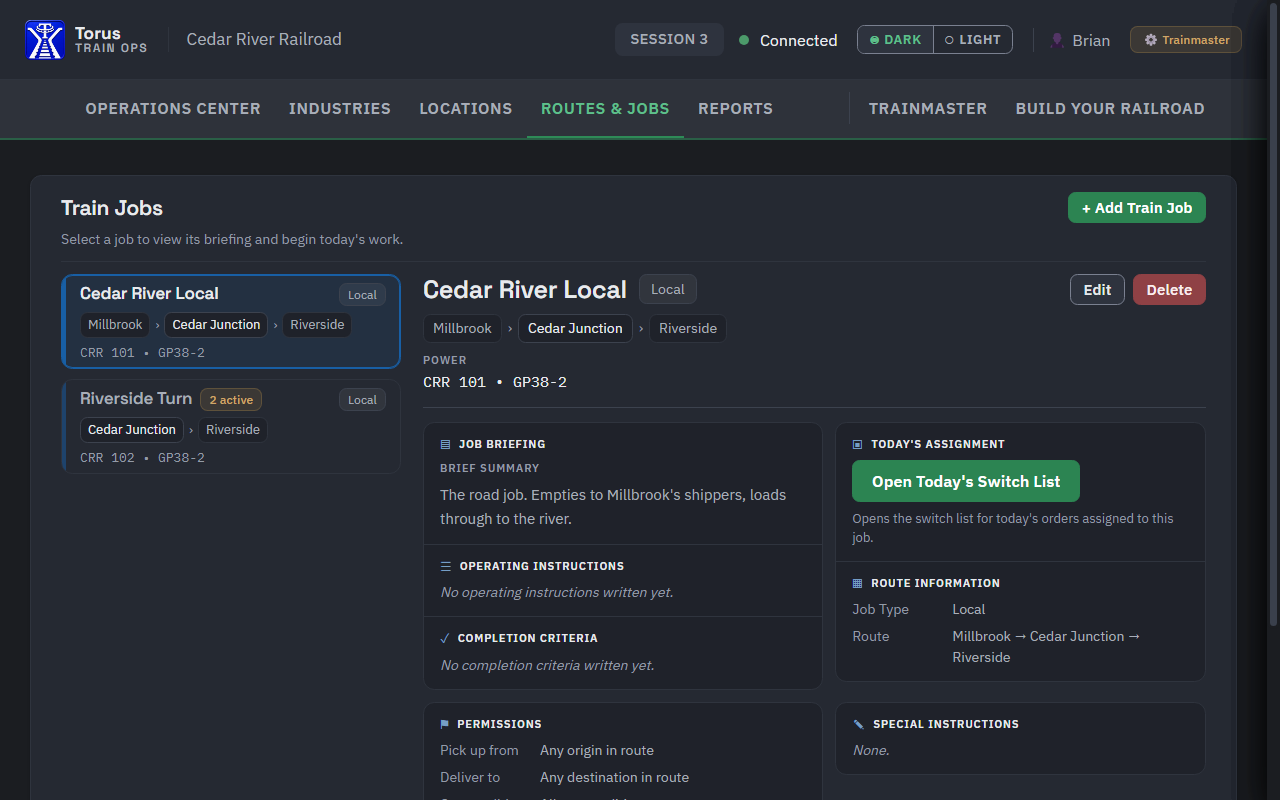
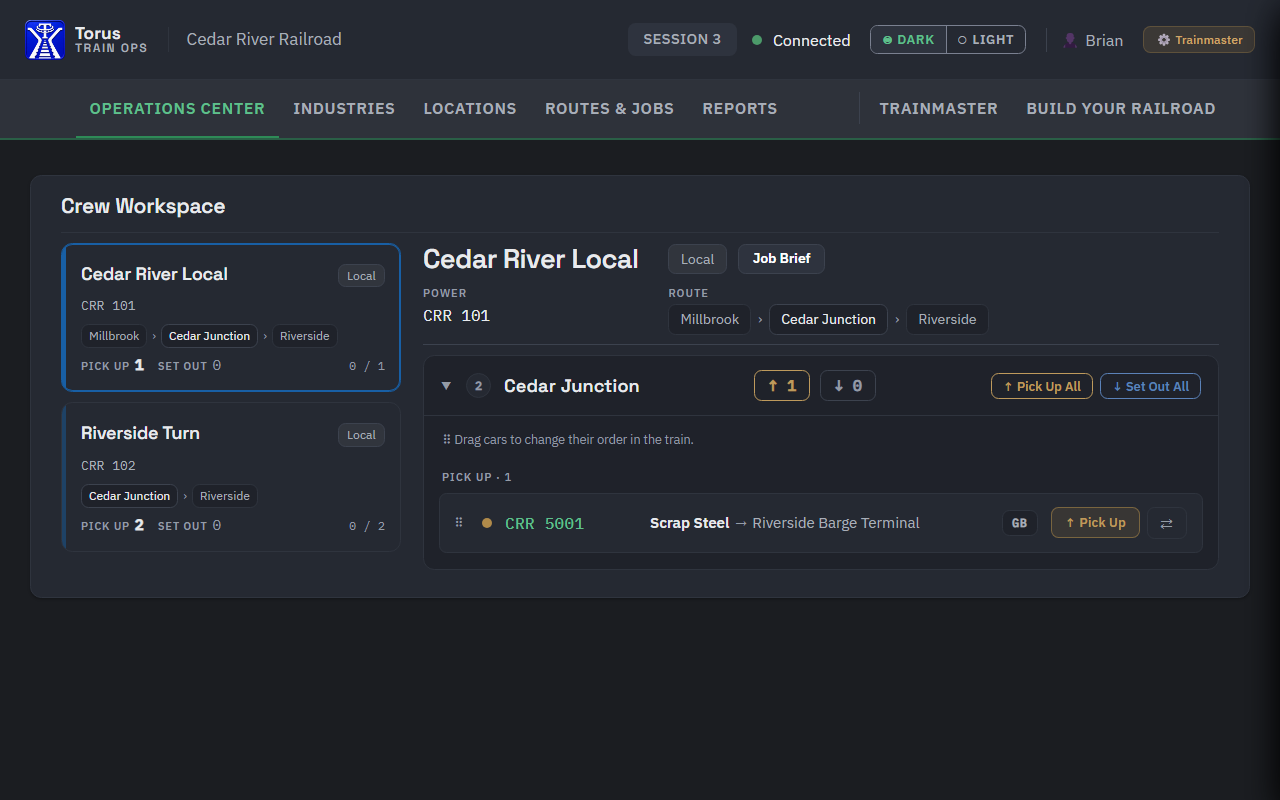
Each operator takes a job, such as a local freight that serves the industries in one town. The job comes with paperwork that says which cars to pick up and where each one goes. The crew runs the train out, switches the industries, and brings the train back.
Meanwhile the yard sorts incoming cars into outbound trains, and the next session picks up where this one left off. A boxcar of paper delivered tonight gets unloaded, released as an empty, and becomes a car somebody has to pick up next time.
Running trains in circles is fun. Running a train because a mill is waiting on a car is what turns a layout into a railroad.
None of this needs a large layout or a big crew. A shelf switching layout with a handful of industries can hold an hour of satisfying work for one person.
What You Need Before Your First Session
Industries with places to spot cars
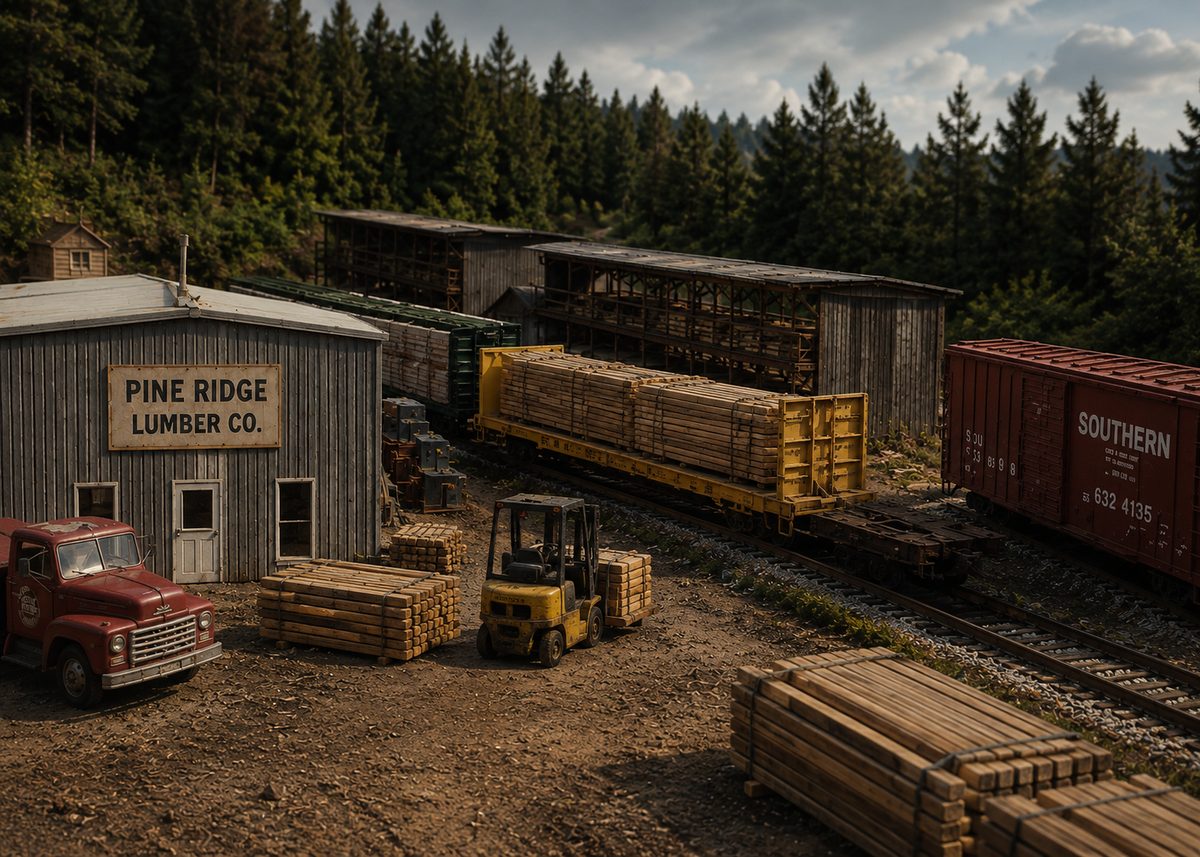
Industries are the reason a railroad exists. Each one needs at least one track or door where cars are spotted (left for loading or unloading). Know how many cars each spot holds; that number shapes all the switching that follows.
Think about what each industry ships and receives. A lumber yard receives lumber on flatcars and in boxcars. A feed mill receives grain in covered hoppers and ships bagged feed in boxcars. A team track takes almost anything.
Cars that match the industries
Your rolling stock should be the kinds of cars your industries actually use. A railroad full of tank cars and no tank car customers has nothing for those cars to do.
Somewhere trains start and finish
A yard, a staging track, or even a fiddle yard you load by hand. Cars arrive from “the rest of the world” there, and loads leave the same way.
A way to decide where cars go
This is the heart of operations, usually called car forwarding. The next section covers the options: car cards and waybills, switch lists, or software.
A crew, even a crew of one
You can run every job yourself, one after another. If friends come over, each one takes a job. Either way works.
Choose How Cars Get Their Orders
Every car forwarding system answers the same question: where does this car go next, and why? There are three common ways to answer it.
Car cards and waybills
Each car has a card. A waybill in the card’s pocket says where it goes. Crews carry the cards with the train. Flexible and very traditional.
Switch lists
One sheet lists a train’s whole job: pick up this car here, set it out there. Quick to read, easy to check off.
Software
A program decides the traffic and prints or displays the paperwork, so nobody has to plan every car by hand.
With car cards, a four-cycle waybill carries four trips. Between sessions you turn the waybill to its next cycle, so one bill keeps a car moving for four sessions before you write a new one.
Want to try car cards or switch lists before you commit? Download free switch lists, car cards, waybills and four-cycle waybills, ready to print on Letter paper.
Paper systems are a great place to start, but they share one chore: someone has to decide where every car goes and fill out the paperwork before each session. On a growing railroad, that preparation can take longer than the session itself.
Torus Train Ops takes over that chore. You tell it what each industry ships and receives and how often, and it creates the car orders, picks suitable cars, and builds switch lists and waybills for every job. Crews can work from paper or from their phones.
Plan Your Train Jobs
A job is a piece of work one crew can finish in a reasonable time. Common jobs on a model railroad:
- Local or way freight: leaves the yard, switches the industries in one or two towns, and returns.
- Turn: runs out to a junction or town and comes back, often with fewer stops than a local.
- Yard job: stays in the yard, sorting arriving cars into outbound trains.
- Through freight: passes across the railroad with cars to and from staging, sometimes setting out or picking up a block on the way.
Split the railroad so jobs don’t fight over the same tracks. A good first plan is two or three locals that each serve their own towns, plus the yard.
Set Up the Session
- Stage the cars. Put the cars each job starts with on its departure track, in the yard or in staging.
- Prepare the paperwork. Sort car cards into each job’s packet, or print each job’s switch list.
- Check the railroad. Clean the track, test the locomotives, and line the turnouts back to normal.
- Write a short job sheet. One or two lines per job: where it goes, which locomotive, any special instructions.
- Brief the crew. Five minutes on how the railroad works, how to read the paperwork, and who to ask about yard tracks.
A fast clock is optional. It runs four to six times faster than real time so a session covers a railroad day in a few hours. Many railroads skip it and simply run until the work is done.
Run the Session
Each crew picks up its paperwork, finds its train, and goes to work. A crew working a local typically:
- Reads the paperwork and plans the moves before leaving the yard.
- Runs to the first town and sets out the cars for its industries.
- Picks up the cars that are ready to go: loads heading out and empties released by the industries.
- Checks off each move, continues to the next town, and returns to the yard.
- Hands the paperwork and the train to the yard.
On a railroad with a few operators, these are the usual roles:
| Conductor | Owns the paperwork and decides the switching moves. |
|---|---|
| Engineer | Runs the locomotive. On many layouts the conductor and engineer are the same person. |
| Yardmaster | Sorts arriving cars and builds outbound trains. |
| Dispatcher | Controls who uses the main line and when. Larger railroads only. |
Operating by yourself, you hold every role, and that is fine. Work one job at a time, from the yard and back again.
After the Session
When the work is done, you have two choices for the next session:
- Reset: put every car back where it started and run the same session again. Simple, and good for learning a railroad or hosting new operators.
- Carry forward: leave the cars where the crews left them. Delivered loads get unloaded, empties need picking up, and new orders arrive. The railroad keeps going from session to session.
With paper, carrying forward means collecting the paperwork, turning waybills to their next cycle, and preparing new packets or switch lists. Software keeps track of all of it for you; in Torus, unfinished work simply waits for the next session.
Either way, ask your crew what worked. The best changes to a railroad usually come from the people who just operated it.
Tips for Your First Session
- Start small. Two or three jobs and an hour of work is plenty. You can always add more.
- Run it yourself first. Operate every job alone before you invite anyone. You will find the tight spots and the confusing paperwork.
- Label everything. Industry names and spot numbers at the track, yard track numbers in the yard. Operators shouldn’t have to guess.
- Don’t overfill the industries. Leave room on every spot so crews can actually set cars out.
- Keep the paperwork readable. Large type, one car per line, and the destination where it’s easy to see.
- Make it fun. Clear jobs, a little time pressure, and something to talk about afterward.
Questions
How long is a model railroad operating session?
Most run two to three hours, which is an evening for a home layout. A first session can be much shorter. An hour with two or three jobs is plenty to learn how your railroad works.
How many people do I need to run an operating session?
One is enough. Many modelers operate by themselves, working one job at a time. Add operators as you add jobs: a small layout might run well with two or three people, while a large one can keep a dozen busy.
Do I need DCC to run operations?
No. Operations is about the work trains do, not how they are controlled, and plenty of railroads operate on DC. DCC makes it easier for several crews to run trains at the same time without managing electrical blocks.
How big does my layout need to be for operations?
Not big at all. A shelf switching layout with three or four industries and a place to stage cars can keep one operator busy for an hour. What matters is having industries to serve and a way to decide which cars go where.
What is a fast clock?
A clock that runs faster than real time, often four to six times faster, so a session covers a railroad day in a few hours. It is optional. Many railroads simply run until the jobs are done.
What is the difference between car cards and switch lists?
Car cards and waybills travel with each car, so the paperwork moves the way the cars do. A switch list puts a whole train’s work on one sheet. Car cards suit layouts where jobs hand cars to each other; switch lists are quicker to read. Many railroads use both.