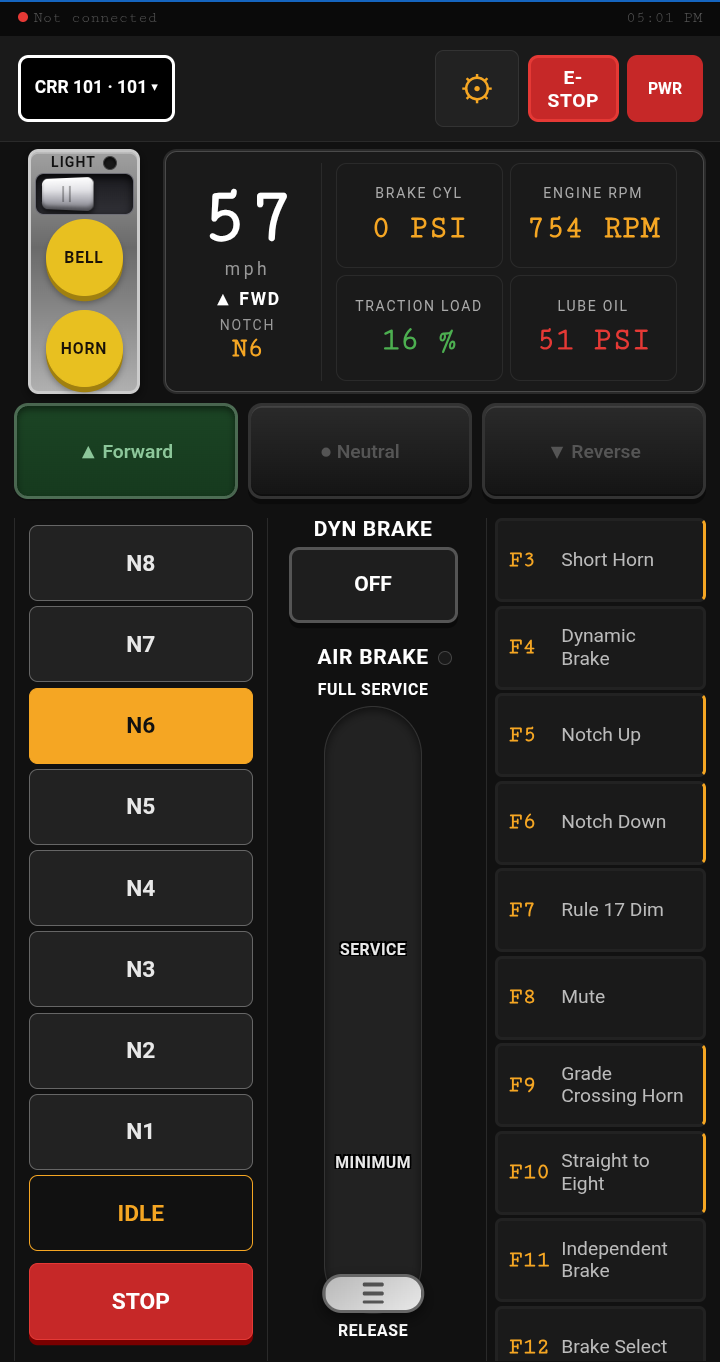
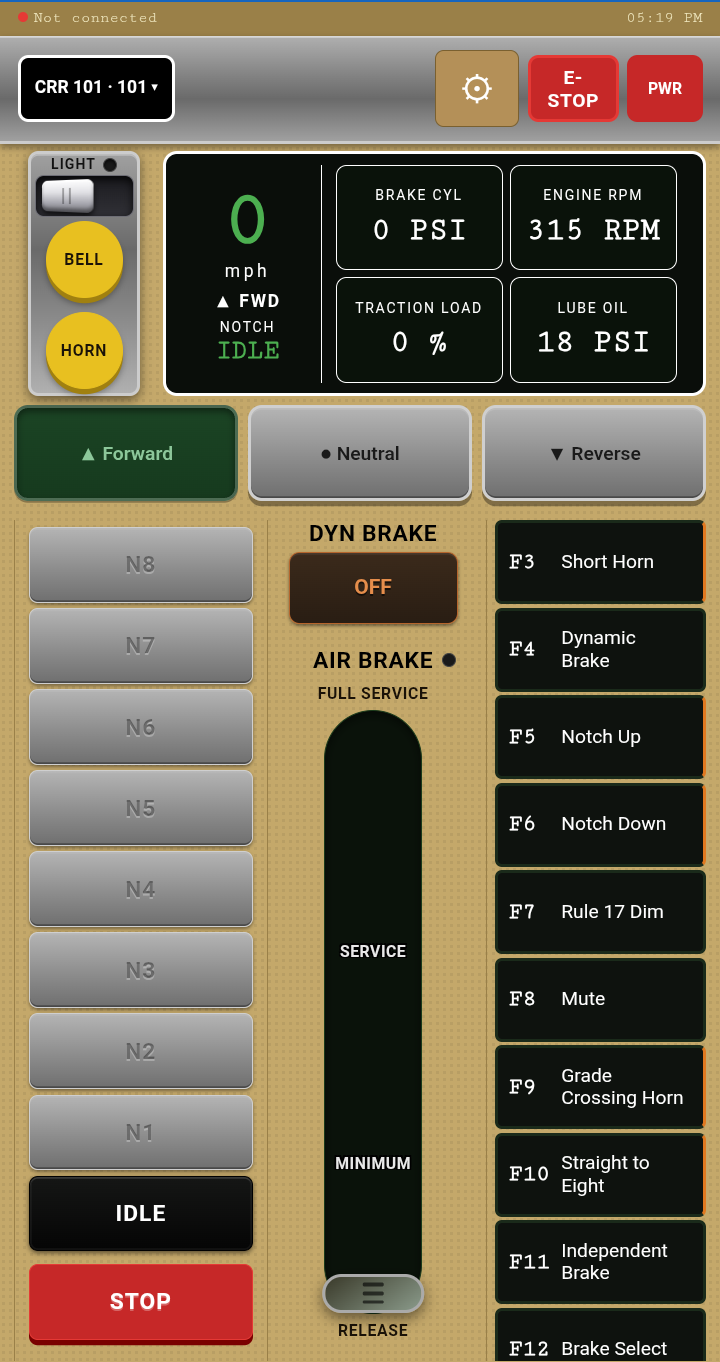
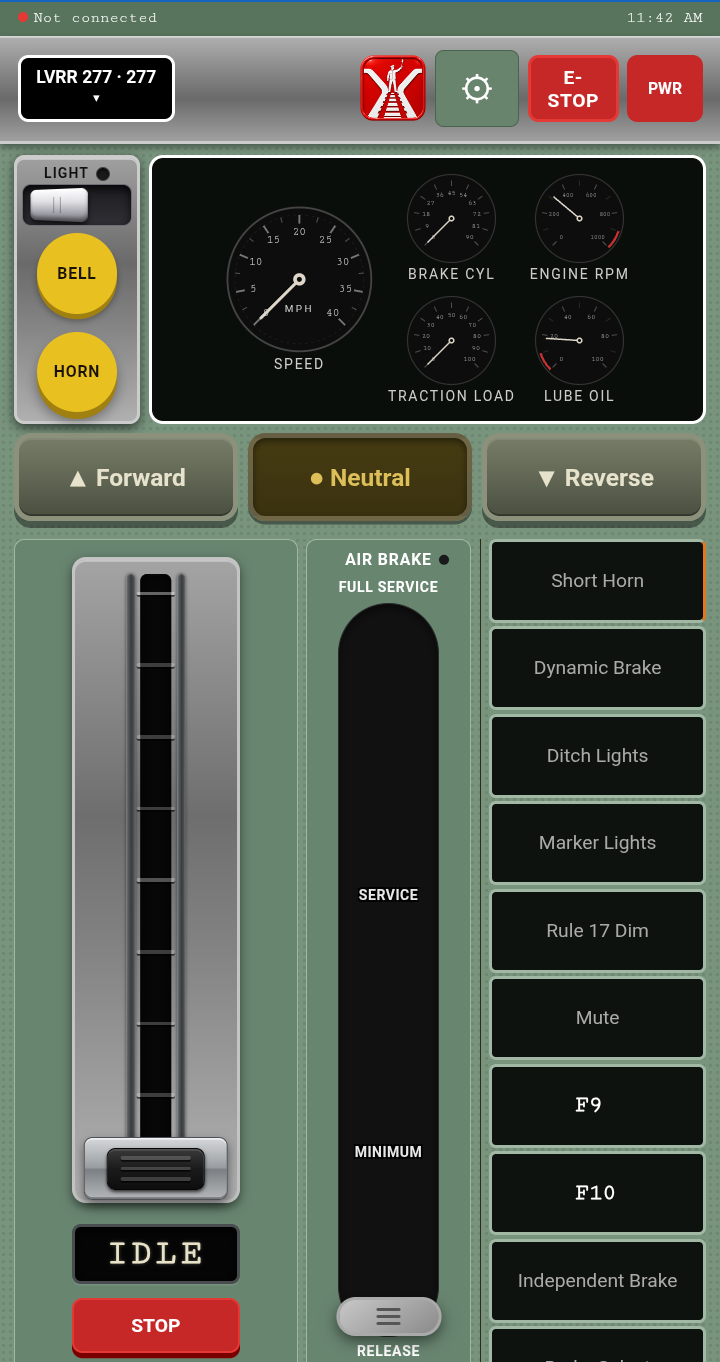
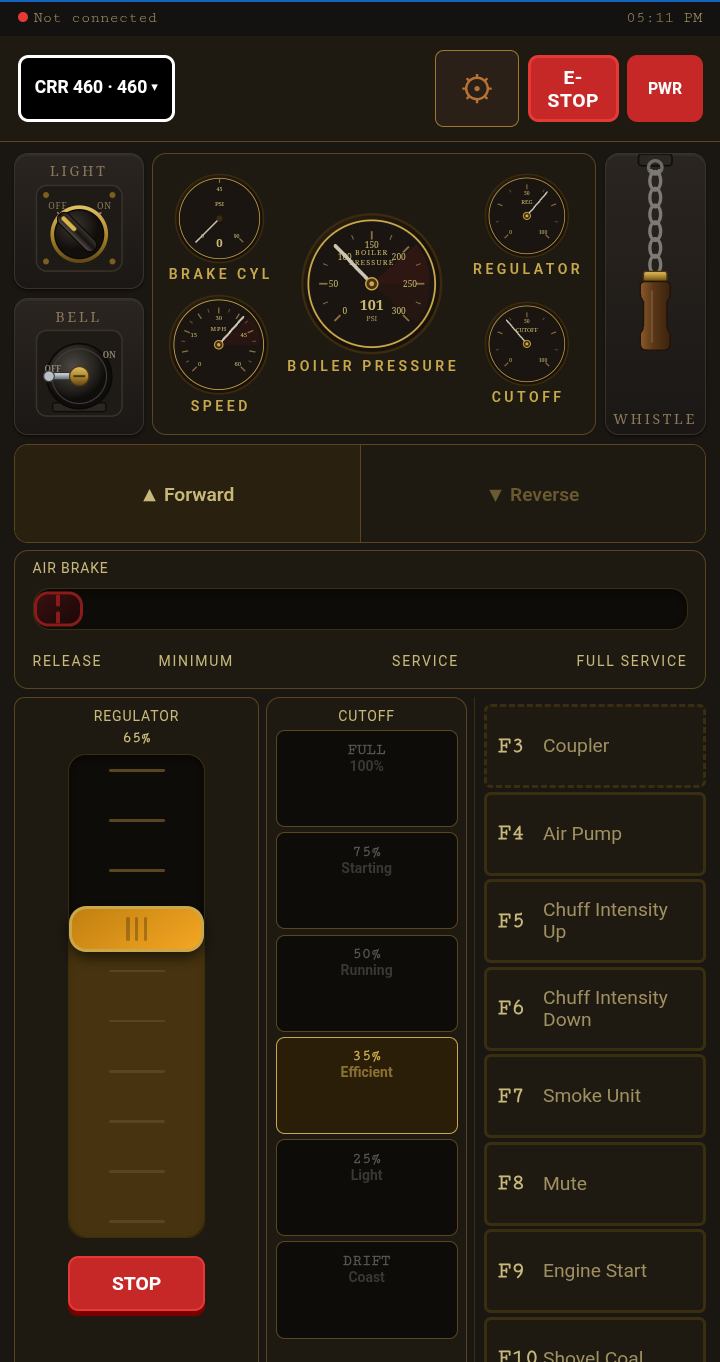
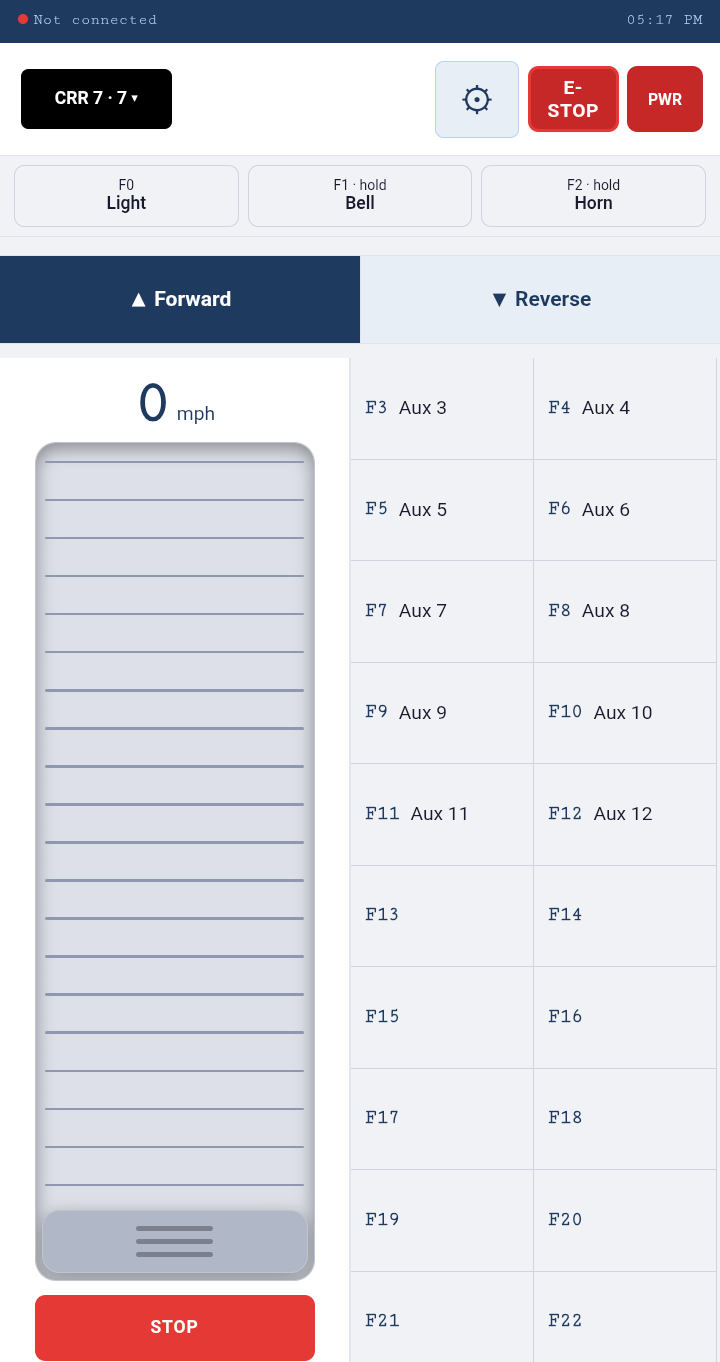
Vector brings prototype-inspired locomotive control stands to your phone or tablet, with distinct Diesel, Switcher, Steam, and Slider layouts—plus dedicated cab controls and Vector Simulated Throttle response.
Android · WiThrottle Compatible · Available on Google Play

A WiThrottle throttle that fits the locomotive you run — not one generic slider handed to every engine on the roster.
Most throttle apps give every locomotive the same slider. Vector gives you a control stand built around the one you’re running: an eight-notch throttle, dynamic brake and air brake for a road diesel; a lever with a true neutral for a switcher; regulator, cutoff and separate forward and reverse for steam. Each stand puts that locomotive’s own controls and gauges in front of you, so you drive it the way its crew would. Prefer a conventional throttle? Slider keeps speed, direction and functions on one simple screen. Diesel and Switcher stands come in V-Night, Vintage or Modern themes, with digital or analog instruments.
Momentum is what makes a control stand feel like a train instead of a volume knob. With VST — Vector Simulated Throttle — Vector manages it for you: notch up and the speed builds, set the brake and it comes down, with the train load you choose deciding how quickly. If your decoders already have momentum programmed, choose Decoder and Vector leaves it to them. Set it once for every locomotive, or per locomotive in the roster.
Add a locomotive once and every control stand knows it: address, name, speed cap, momentum, and a label for each function key so HORN reads HORN instead of F2. Import the roster you already keep in JMRI or on a DCC-EX command station, back it up, and share it with another phone or tablet.
One app, four ways to run
A road diesel, a yard switcher and a steam locomotive are not driven the same way, so Vector does not hand you the same screen for all three. Each stand is the set of controls that locomotive actually has — the throttle you notch, the brake you set, the gauges you watch — laid out for a phone or tablet. Pick one to see what you would be working with, then try its themes and instrument styles.
Select a control stand to explore. Diesel and Switcher also offer cab themes and digital or analog displays.
Cab theme
Panel display
Cab theme
Panel display
Runs on Android phones and tablets. Every control stand works on both; on a tablet, Slider can drive two locomotives side by side.
Vector connects over Wi-Fi to WiThrottle servers including JMRI, DCC-EX and Digitrax LNWI. Other DCC systems, including NCE, can connect through JMRI.
Vector talks to the command station over your local Wi-Fi. A layout network with no internet connection is all it needs.
Diesel, Switcher, Steam and Slider. Diesel and Switcher offer V-Night, Vintage or Modern themes with digital or analog instruments.
Headlight, bell and horn on their own keys; F3 upward labelled from the roster, with decoder function lists you can load by manufacturer.
Build a consist once, save it by name, acquire it with one tap. One throttle, one direction, one brake — every unit follows, including those coupled backwards.
Let Vector simulate momentum and train load, or leave it to your decoders. Set it globally or per locomotive.
Addresses, names, speed caps and function labels, kept on the phone. Import from JMRI or DCC-EX; back up, restore and share.
Vector is a complete throttle on its own. Run Fusee too and control hands back to Vector when a crew activity ends.
Android · WiThrottle
Vector is on Google Play. Install it, connect to your layout, and take the controls.
Questions? Contact support@railworksstudio.com — we're happy to help.
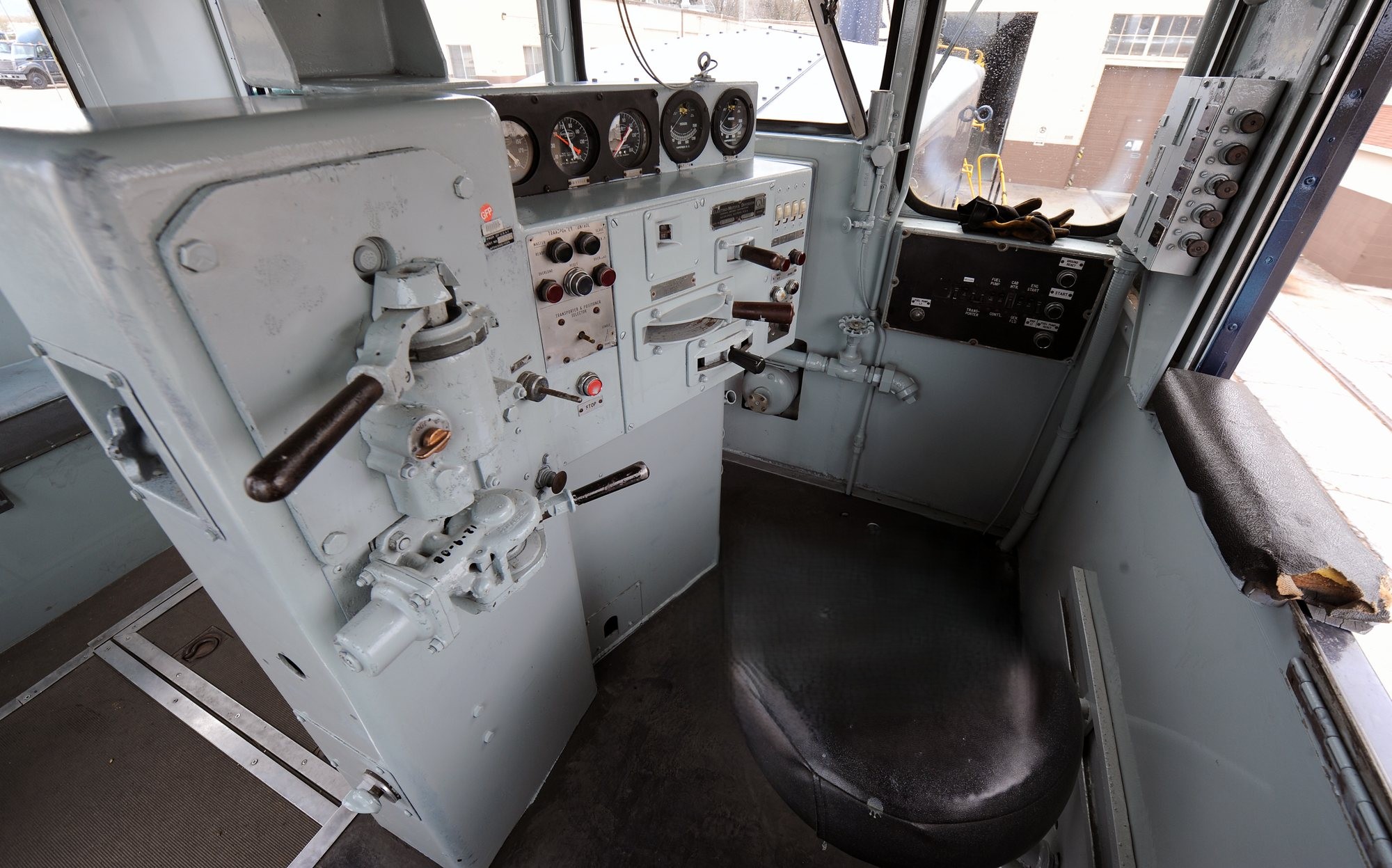
Hero photograph: U.S. Air Force / Alex R. Lloyd — public domain. Closing panel — Photo: vxla, CC BY 2.0, via Wikimedia Commons.