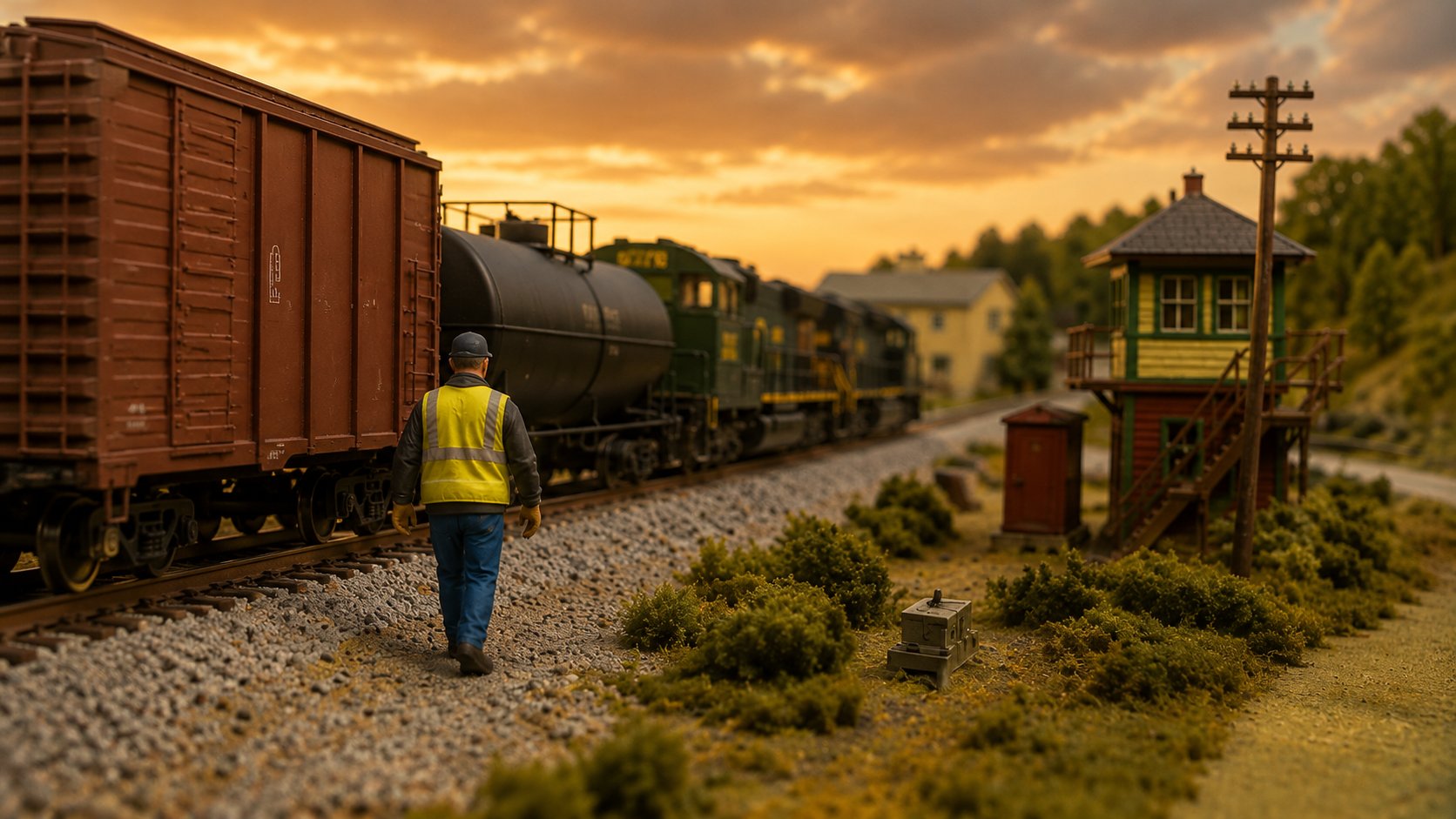
A railroad worker in a hi-vis vest walking the ballast beside a freight train at sunset

Your Conductor and Crew Companion

Fusee helps model railroad operators handle the work between throttle movements with interactive, timed crew activities, radio calls, and sounds.

Android · available on Google Play

Works with any throttle • Operate it yourself as engineer and conductor, or split the roles with another crew member • No internet needed during a session
Beyond the Throttle

What if operating your railroad didn’t end at the throttle?

Real railroad operations are about far more than moving the train. Conductors don’t simply ride along—they walk the train, line switches, protect crossings, communicate with the engineer, and work together to safely complete every move.

That’s the experience that inspired Fusee.

Instead of rushing from industry to industry, Fusee helps bring those moments to life with realistic crew activities that naturally slow the pace, encourage interaction, and make every move feel earned. Whether you’re operating by yourself or sharing the railroad with a friend, Fusee transforms an operating session from simply moving trains into becoming part of the crew.

Because the most memorable operating sessions aren’t the ones where the trains move the fastest… they’re the ones where you forget you’re in the basement.

STEP OUTSIDE THE CAB

See What’s Inside Fusee

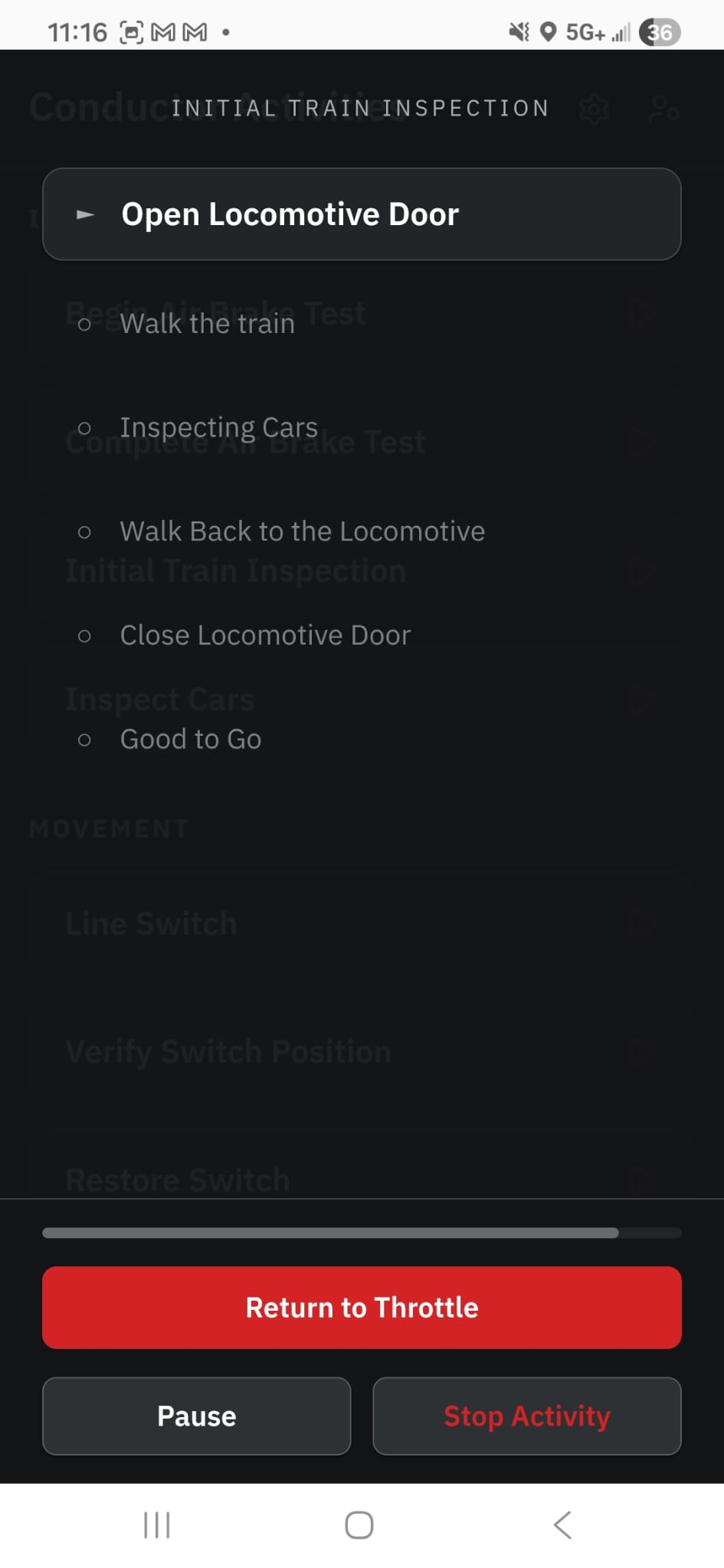
  • An Initial Train Inspection activity running, step by step
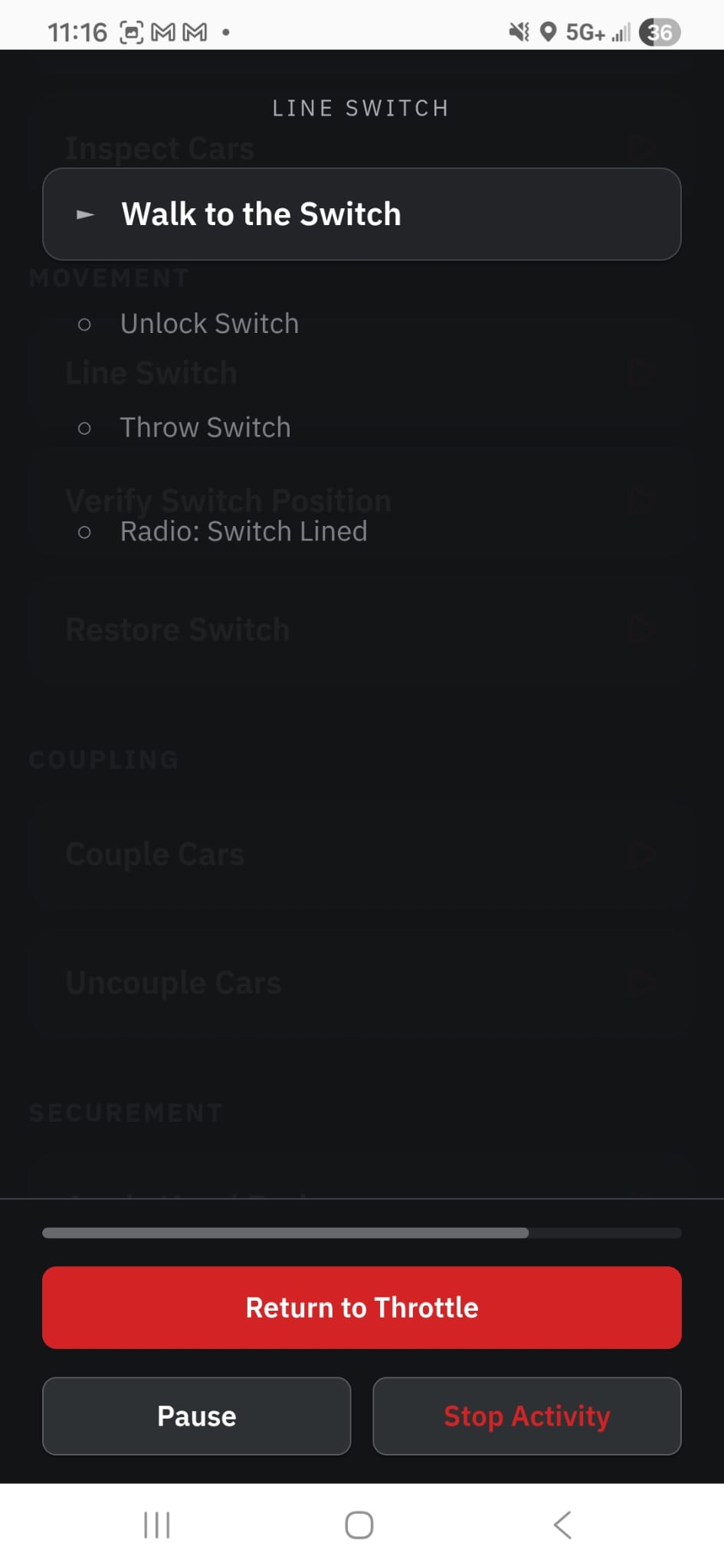
  • A Line Switch activity running, from walking to the switch to the radio call
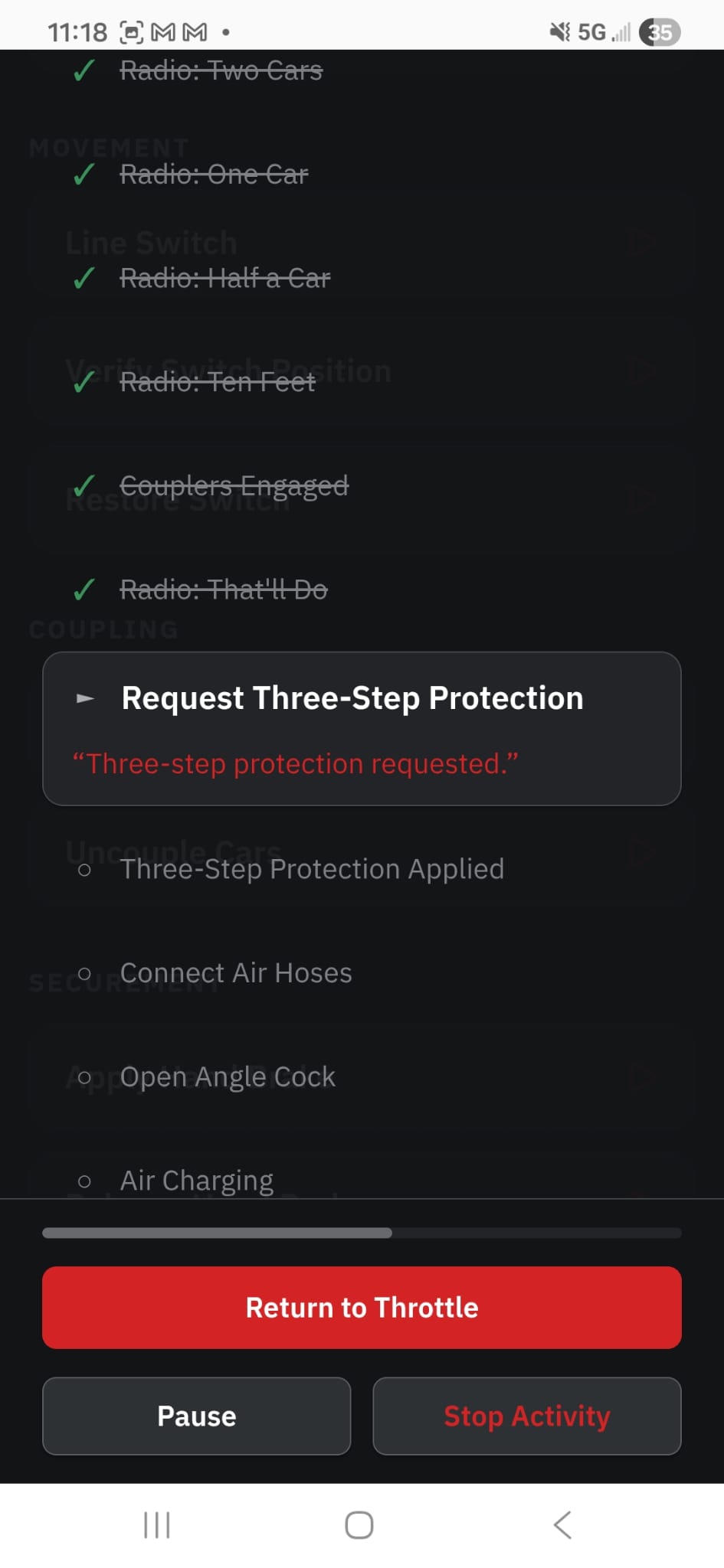
  • A Couple Cars activity mid-move, requesting three-step protection
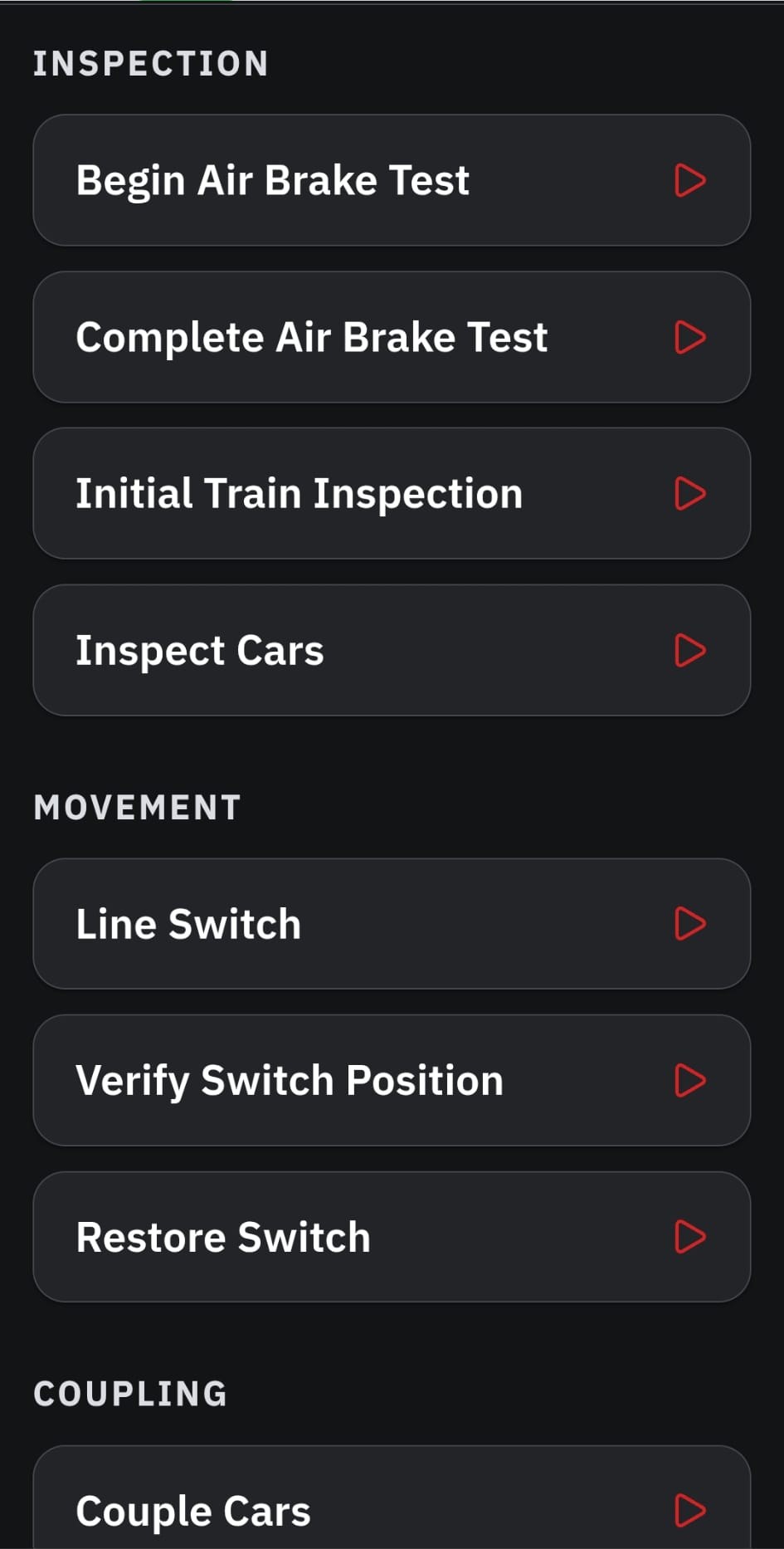
  • The Conductor Activities library, grouped by category
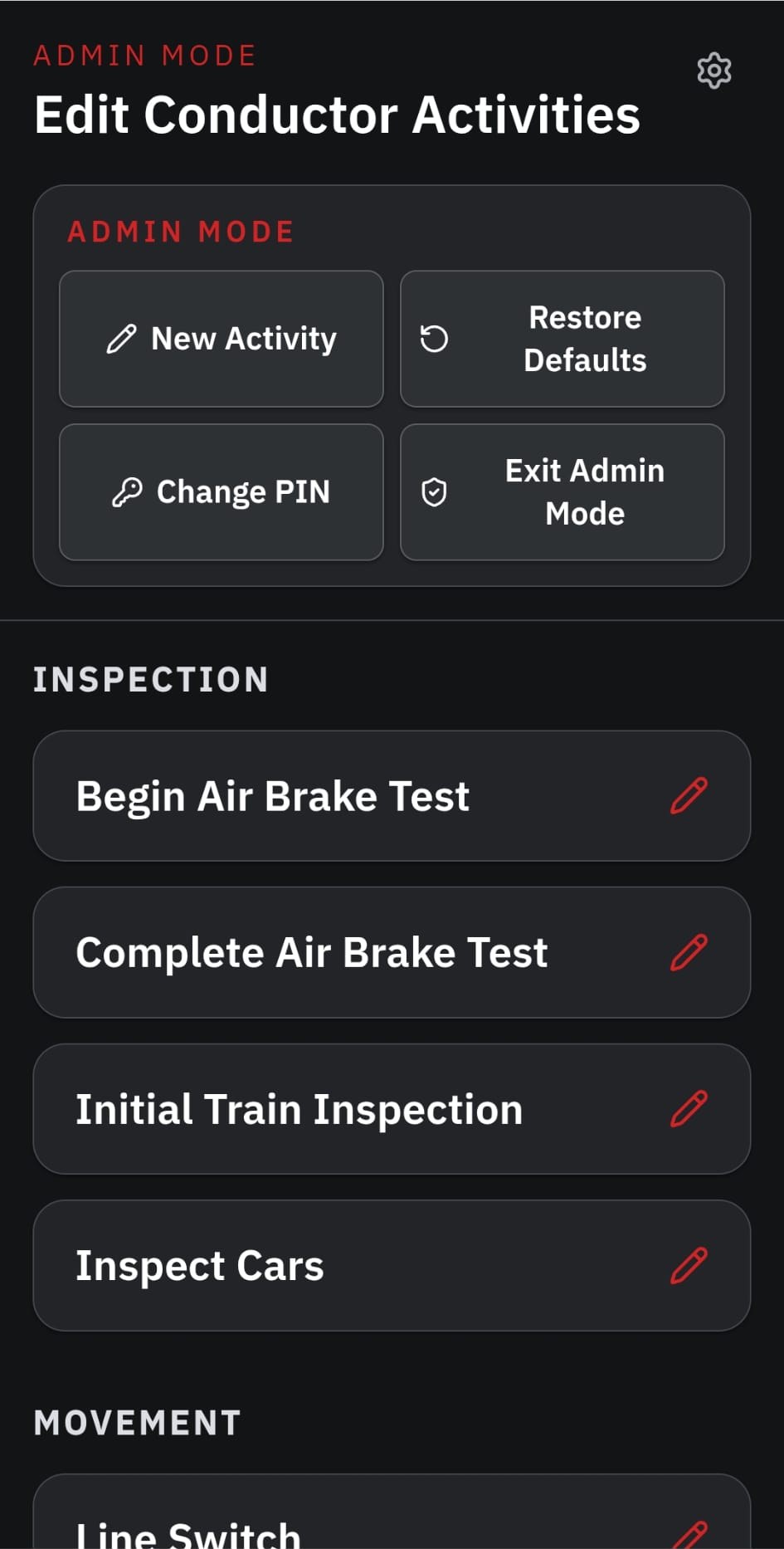
  • Admin Mode, editing the activity library
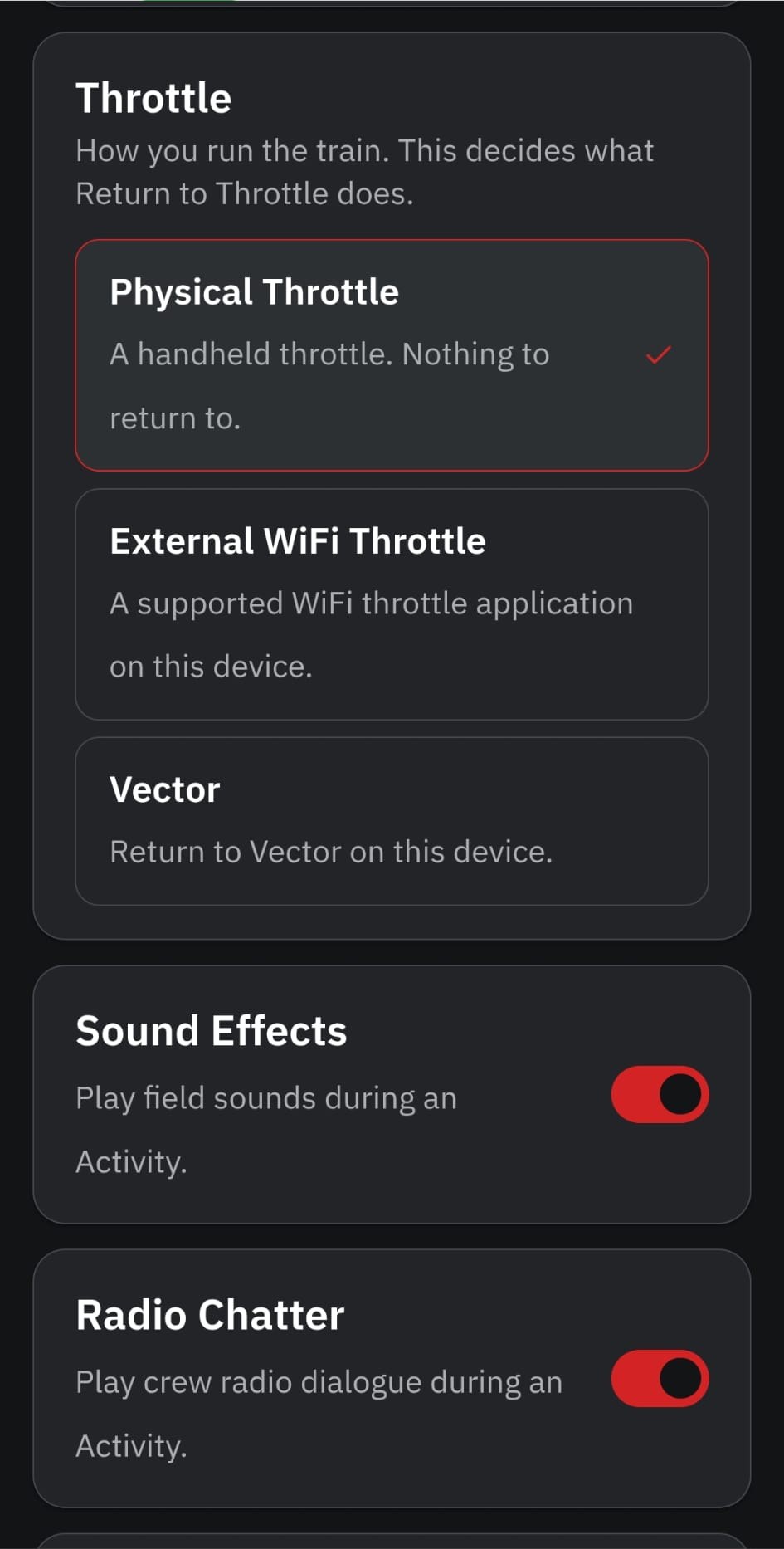
  • Settings for sound effects, radio chatter and throttle

Time to Inspect Your Train

You open the locomotive door and climb down. Now head down the track and walk your train. Check each car as you go. When you’re satisfied everything is right, walk back to the locomotive, climb aboard, and you’re ready to go.

Go Line Your Switch

Your train is waiting. You walk to the switch, unlock it and throw it for the move. Check that it’s lined correctly, then grab the radio and tell your engineer: “Switch lined.”

Bring ’Em Together

You’re on the ground guiding the move. “Two cars… one car… half a car… ten feet… that’ll do.” The couplers make. Now request three-step protection, connect the air hoses, open the angle cock, and get the train ready to move.

Pick the Job

Inspection, switching, coupling, securement and more. Choose what the crew needs to do and get to work.

Your Railroad. Your Procedures.

Don’t like the way we do something? Change it. Edit the steps, build your own activities, and make Fusee work the way your railroad does.

Run It Your Way

Operating by yourself? Turn on the radio chatter and field sounds. Working with another crew member? You can turn them off. Use your regular throttle or pair Fusee with Vector.

See Fusee in Action

Take the Conductor’s Side of the Move

You’ve shoved the hopper back to its spot, and now it’s time to make the cut. Get your three-step protection, set the hand brake, close the angle cock, and pull the cut lever. Release the protection, tell the engineer to pull clear, and finish the job. This is one complete Fusee activity, running just as you’d use it during a session.

Before you decide

Frequently Asked Questions

What is Fusee?
Fusee is an Android app for the conductor’s side of model railroad operations — the work between throttle movements. It walks you through crew activities in real time: inspections, coupling and uncoupling, switching moves, securement and radio calls, each with its own timing and sounds.
Do I need Vector to use Fusee?
No. Fusee works independently with any throttle. If you're using Railworks Studio's Vector throttle app, Fusee can automatically return you to Vector when an activity is complete.
Can I use Fusee by myself?
Absolutely. Fusee was designed for both solo operators and crews. Enable field sounds and crew radio chatter for a complete one-person experience, or disable them when operating with another crew member.
Can two people use Fusee together?
Yes. Fusee works equally well for two-person crews. One operator can run the locomotive while the conductor follows activities, communicates with the engineer, and performs the work on the ground. Optional sounds and radio chatter can be turned off when operating with another person.
Can I customize the activities?
Yes. Built-in conductor activities can be edited to match the way your railroad operates. Change the steps, create new activities, or restore the original defaults at any time using the built-in Admin Mode.
Does Fusee require an Internet connection?
No. Once installed, Fusee is designed to operate locally on your device without requiring an Internet connection during operating sessions.

Put Fusee to Work on Your Layout

Add the conductor’s side of railroad operations to your next session.

$4.99
Get Fusee on Google Play One Purchase • Free Updates • No Subscription
Get it on Google Play

Questions? Contact support@railworksstudio.com — we're happy to help.